 |
| My design and possible fabric choice for Triangle-A-Long - Denyse Schmidt bundle |
Cheryl @ Meadow Mist Designs is hosting a series on her blog about pattern writing and one of the topics explored is Quilt design software. I get asked quite often about the software I use and have written some tutorials on using Word, Touchdraw and Inkscape for the Modern Quilters Ireland blog (
links to tutorials here).
One of the programs I use every day and haven't written about before is Microsoft One Note. Though not specifically for quilt design it is integral to my design process. One Note is a free program that runs on all platforms, Windows & Mac, apple ios & Android. I sync my personal notebook to the cloud and can access it from my phone, desktop, and iPad. It is very handy when I am in a quilt shop and need to check my design or dimensions for colours or yardage to buy.
 |
| Clipping from web will add the original web address. |
It gives me a place where I can store quilt design tips, cheat sheets, how to's and sketches. You can draw directly in OneNote, insert a picture or file or clip screenshots directly to it.
When clipping from the web it can record the website so you can go back to it again. Here I have a free download from Crafting Fingers that I thought would be handy and have saved it and the PDF in OneNote for easy access. I can type directly on top of the screenshot too if I want to.
As well as a place to store screen clippings, it is very handy for organising and planning the month ahead. You can insert calendars and give yourself a blog post schedule or to do list!
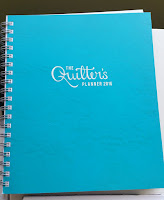
I love my Quilter's planner and use this for my weekly notes and things I'm thinking of and then take it to the computer and plan out the month. I prefer having the month online as I can make changes easily especially when planning blog posts and projects I want to get done for deadlines! Plus I can have WIP lists & wish lists all to hand on my phone when I am out and about!
 |
| This month's calendar in progress! |
Items To
Do can be assigned check boxes and reminders or sync with outlook.
Tables and formulas are available and if you have excel you can save
workbooks too directly in One Note.
 |
| Knitting projects keeping track of with Pat Sloan's UFO process |
Patterns I have purchased or inspiration images I have collected can also
be easily stored. Within a notebook you can have tabs for each section
go across the top and new pages are stored down the side. You can nest
pages into groups too so it is really handy to keep all sorts of
things!
 |
| Embroidery patterns I have purchased from Urban Threads, images in one place so I can pick and choose easily what I want to make! |
And it comes in handy for design ideas too. Playing with my pattern for the medallion quilt I designed last year for the Modern Irish Quilters QAL, I could add notes to my design, brainstorm border options and decide on the types of stars I wanted to use in my design.
Last month, at one of our guild meetings I demonstrated how to use the Hex N More ruler by Jaybird quilts and used OneNote to help make a cutting chart and crib sheet for the demo.
It really is a very handy program and its free!
It might just be something you could use when brainstorming your next quilt project or keeping track of your projects in progress! What do you think? Do you have favourite software or programs that help you in your quiltmaking? I'd love to hear about them!


